Chapter 8 / 28
Authentication Methods: Giving Others Access
HashiCorp Vault For Beginners7 min read
Until now, you've been interacting with Vault using the root token. And that’s fine for learning. But in the real world?
Root tokens are like nuclear launch codes. Powerful, dangerous, and best kept far, far away from everyday use.
So how do we let others (humans, apps, machines) access Vault — safely?
Welcome to Auth Methods.
What is an Auth Method?
An Auth Method is how a user or application proves its identity to Vault.
Vault doesn’t have built-in users. It delegates identity verification to these pluggable methods — like LDAP, GitHub, AWS IAM, Kubernetes, or good old username/password.
Once authenticated, Vault returns a token with policies attached. That token defines what that entity is allowed to do.
Think of an auth method as the door, and the token as the keycard Vault gives you once it knows who you are.
Why Use Auth Methods?
So far, only you — the Vault admin — had the root token. But now it’s time to share the Vault love:
- Your team needs access
- Your apps need secrets
- Your CI/CD pipelines need short-lived credentials
But you should never share the root token. Ever.
Auth methods let you:
- Give access without giving away sensitive tokens
- Control who can do what using policies
- Audit, rotate, and revoke access cleanly
Enabling the Userpass Auth Method
Let’s start with the most basic and easy-to-understand method: userpass.
This is Vault's built-in username/password login system. Great for quick demos or small teams.
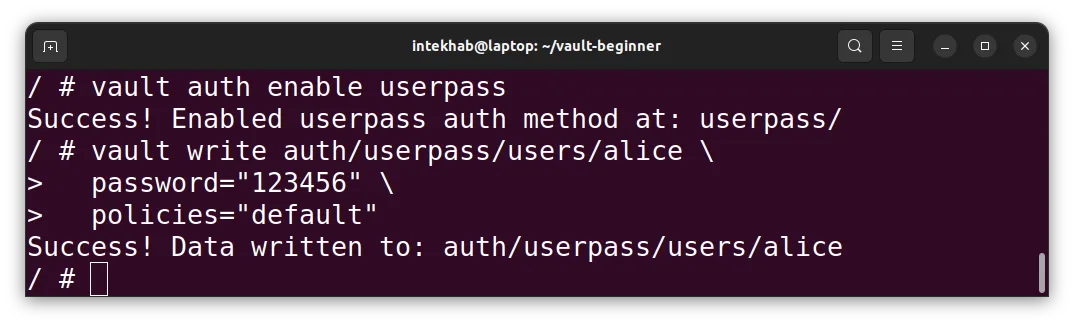
Enable the userpass method:
vault auth enable userpass
You’ll see:
Success! Enabled userpass auth method at: userpass/
Vault just mounted this method at the userpass/ path.
You can mount auth methods at any custom path (like
dev-login/orteam-a/). But for now, let’s keep it simple.
Create a User
Let’s create a user called Alice. She’ll use a username/password combo to log in.
vault write auth/userpass/users/alice \
  password="123456" \
  policies="default"
Let’s break down the path:
auth/– This tells Vault we’re interacting with an auth method.userpass/– This is the path of auth method we enabled earlier.users/– A sub-path used by the userpass plugin to manage users. It’s fixed and you can’t change it.alice– The username we’re creating. You can choose whatever you want.
So essentially:
"Create a new user
aliceinside theuserpassauth method and assign her a password and policy."
What Is the "default" Policy?
When you create a new user and assign "default" as the policy, you’re giving them very limited capabilities. That’s intentional.
The default policy typically allows users to:
- Authenticate (log in)
- Lookup their own token
- Renew and revoke their own token
But nothing else — they cannot read or write secrets, manage engines, or do anything meaningful in your setup.
Vault plays it safe by design. Permissions must be explicitly granted.
Login as Alice
Now, let’s switch roles. You're Alice. Login with the Alice’s username and password.
vault login -method=userpass username=alice password=123456
You'll get:
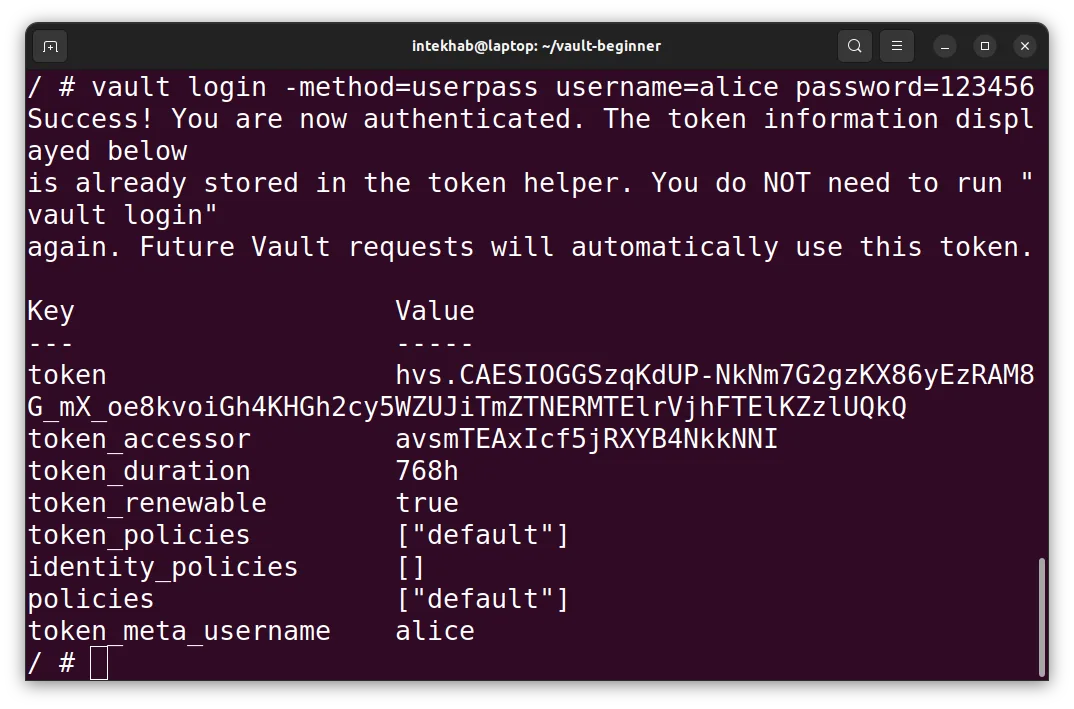
This token is Alice’s key to the Vault — scoped, limited, and short-lived.
Can Alice Access the Secret?
In the previous chapter, we stored a simple key-value secret at:
secret/myapp
Let’s see if Alice can read it:
vault kv get secret/myapp
Result?
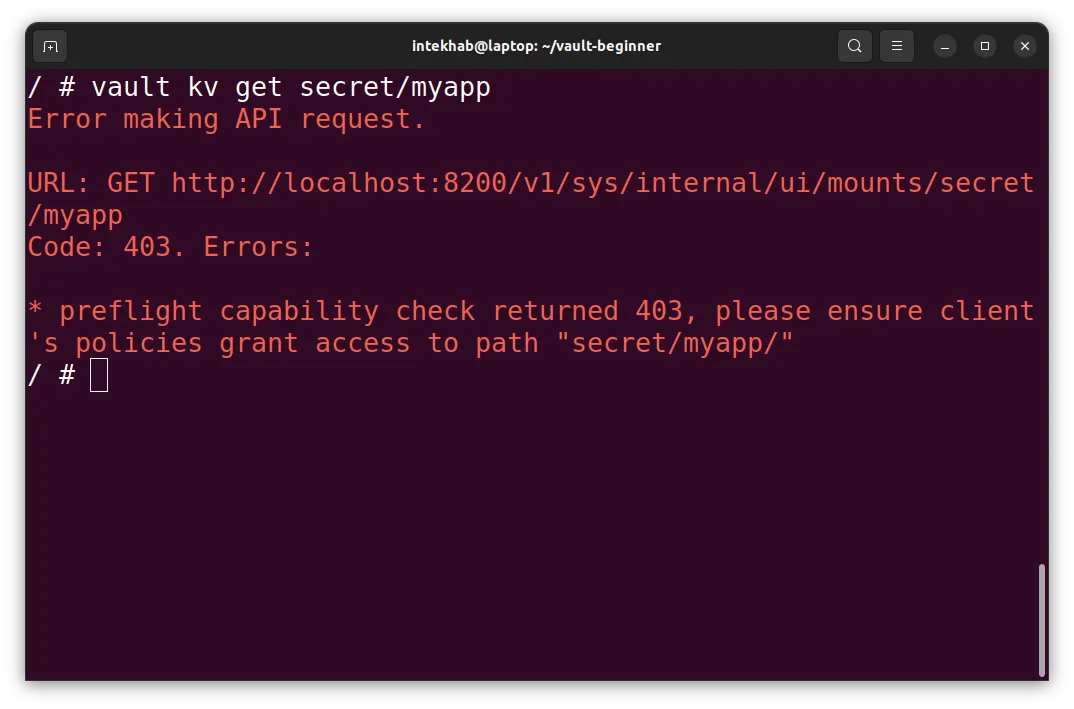
Boom. Permission denied.
Alice is authenticated — but she’s not authorized.
That’s the Heart of Vault's Security Model
Vault always separates:
- Authentication – Who are you?
- Authorization – What are you allowed to do?
Just because Alice logged in doesn’t mean she can read secrets. For that, she needs access policies — which we’ll build in the next chapter.
Remember
- Auth methods let users log in without using the root token.
userpassis the easiest to try.users/is a special path inside theuserpassmethod for managing user accounts.defaultpolicy is minimal — login only.- Alice can log in — but can’t do anything useful yet (by design).
What’s Next?
Now that we’ve got Alice in the system, let’s give her some actual access.
In the next chapters, we’ll define custom policies — Vault’s way of saying:
"Yes, you may read this secret — but not that one."
Let’s unlock Vault — carefully.