Chapter 14 / 28
Fine-Tuning and Access Control on Dynamic Secrets
HashiCorp Vault For Beginners6 min read
In the previous chapter, we watched Vault create MySQL users on the fly. Now, let’s refine that setup and introduce secure delegation. We’ll:
- Explore advanced TTL control
- Create multiple roles with different permissions
- Use policies to delegate access to non-root users (like Alice)
Understand TTL Options
When creating dynamic secrets roles, Vault supports two TTL settings:
  default_ttl = "1m"
  max_ttl     = "5m"
🔹 default_ttl
- This is how long the credential lasts by default.
- If the client doesn't explicitly renew it, Vault will revoke it after this period.
🔹 max_ttl
- The absolute upper limit for the secret's lifespan.
- Even with renewal, the secret cannot live beyond this.
Why this matters: If your app only needs short-lived access (e.g., quick backup scripts), this drastically reduces the blast radius in case of compromise.
Before you begin: Ensure your Vault environment from the previous chapter is up and running. If it isn’t, please revisit and complete through Step 7 of that chapter. Once your Vault stack is fully initialized, unsealed and logged in as root, you can proceed with the steps below.
Step 1: Create a New Read-Write Role
Let’s define a new role that gives read and write permissions on the MySQL database:
vault write database/roles/readwrite-role \
  db_name=my-mysql-database \
  creation_statements="CREATE USER '{{name}}'@'%' IDENTIFIED BY '{{password}}'; GRANT SELECT, INSERT, UPDATE ON vaultdb.* TO '{{name}}'@'%';" \
  default_ttl="2m" \
  max_ttl="10m"
Step 2: Update the Database Config to Allow New Read-Write Role
Let’s re-write the database config and include our newly created readwrite-role in allowed_roles. Run below command
vault write database/config/my-mysql-database \
  plugin_name=mysql-database-plugin \
  connection_url="{{username}}:{{password}}@tcp(mysql:3306)/" \
  allowed_roles="readonly-role, readwrite-role" \
  username="root" \
  password="rootpass"
Step 3: Generate Dynamic Credentials
You can now generate a credential with:
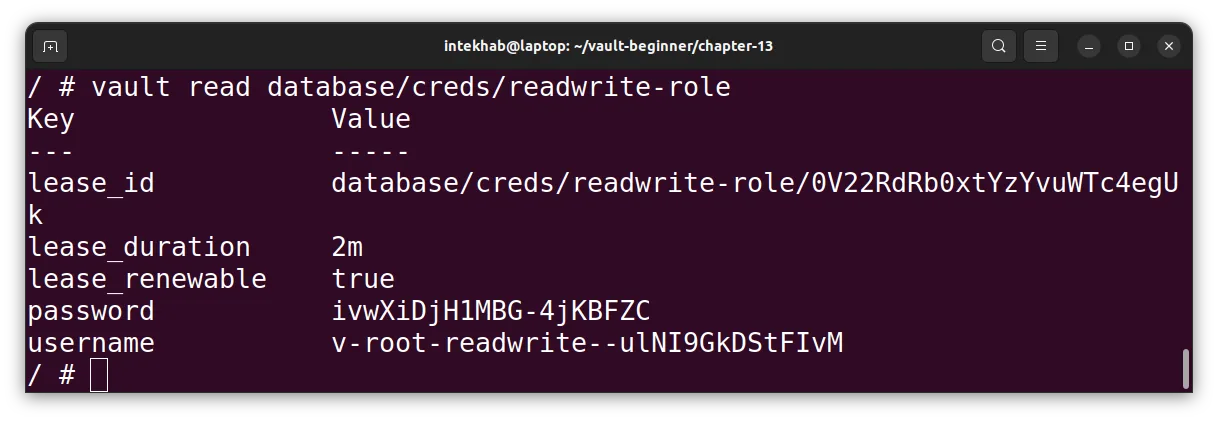
vault read database/creds/readwrite-role
You will see the output something like below.
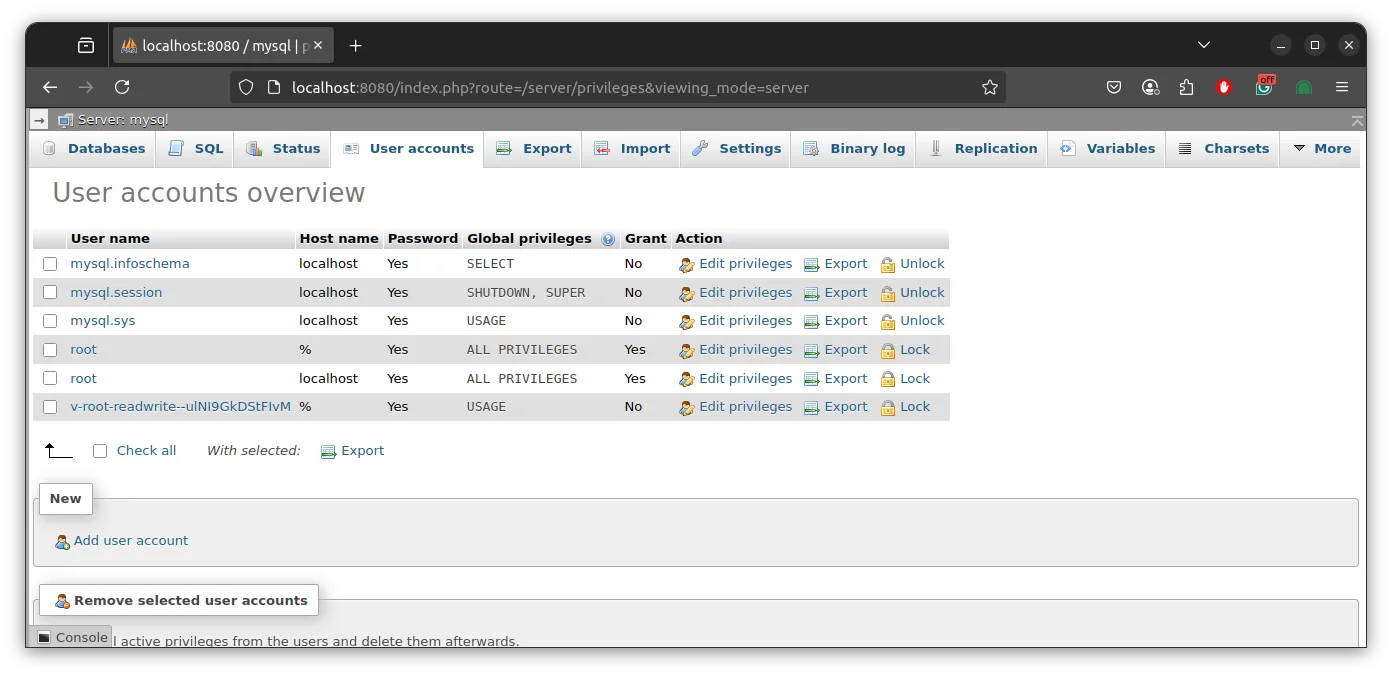
And if you check the PHPmyAdmin, you will see the same cred present in MySQL database users liet.
Let’s say you want Alice to be able to generate only read-only MySQL credentials.
Let’s write a new policy for Alice. File name readonly-mysql-policy.hcl
# readonly-mysql-policy.hcl
path "database/creds/readonly-role" {
  capabilities = ["read"]
}
Create policy using the above policy file.
vault policy write readonly-mysql chapter-14/readonly-mysql-policy.hcl
Attach the policy to Alice:
vault write auth/userpass/users/alice \
  password="123456" \
  policies="default,readonly-mysql"
Step 5: Validate Permissions
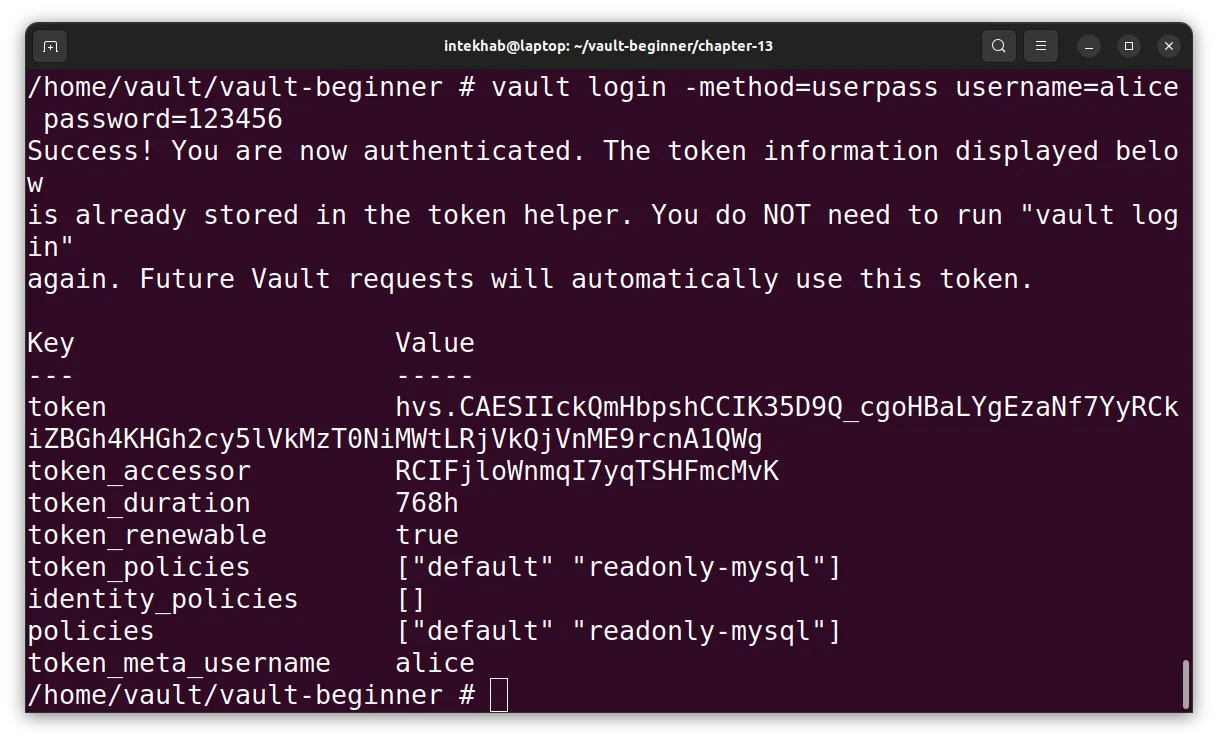
Log in as Alice:
vault login -method=userpass username=alice password=123456
You will see the “readonly-mysql” policy is now attached to Alice.
Step 6: Generate a MySQL User for Alice with Read-Only Access
Now let’s generate dynamic MySQL credentials for Alice using the readonly-role, which is configured to grant read-only access.
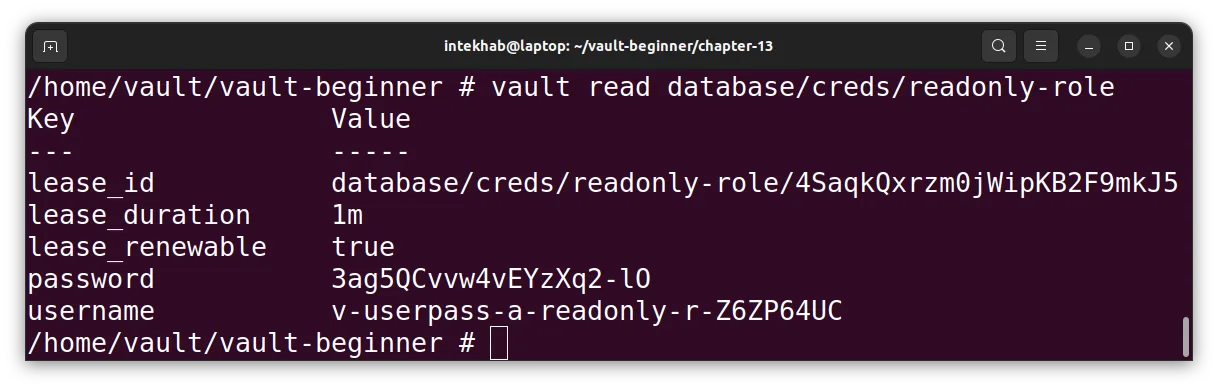
Run the following command:
vault read database/creds/readonly-role
You should see Vault return a newly created MySQL username and password, along with the lease duration—this account is tailored specifically for Alice with read-only privileges.
Next, try generating dynamic MySQL credentials for Alice using the readwrite-role, which is configured to grant read-write access:
vault read database/creds/readwrite-role
Vault will return a permission denied error—exactly as expected.
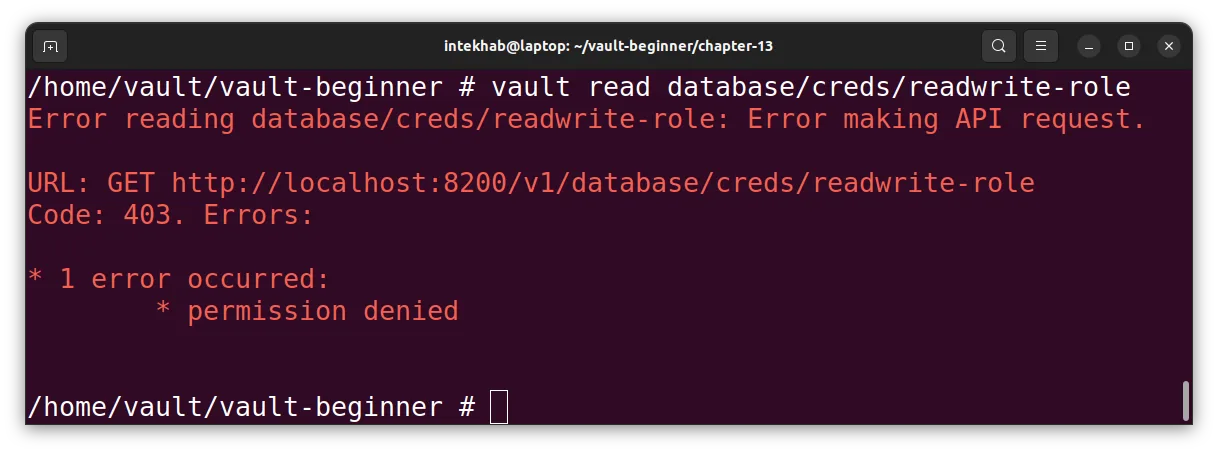
Bingo! This confirms that Vault's fine-grained access control is working. Alice doesn’t have access to this role, so Vault blocks the request.
Wrap Up
You’ve now:
- Created roles with different DB access levels
- Controlled access via Vault policies
- Delegated MySQL access to a non-root user (Alice)
This is the Vault way:
- Least privilege
- Time-bound access
- Clear delegation without sharing root credentials
Coming up next: we’ll explore leases, renewals, and revocations in dynamic secrets. How long can access live, and who decides when it dies?